Email intelligence for professionals

FROM
INBOX
TO INSIGHT

The magnet that finds the needle in the haystack. Email is still the lowest common denominator — messy, fragmented, and frustrating to navigate. MailBraid changes that.

Free for 30 days · No credit card · Windows 10/11 · Outlook required
10–30×
Faster than
manual search
30 sec
To analyse
5,000 emails
100%
Local — nothing
leaves your machine
Braided river channels converging into clarity
THE
PROBLEM

Finding the answer the old way means opening Outlook, searching back through dozens or hundreds of emails, cross-referencing replies, trying to remember which folder you filed things in. It takes hours if not days — and you still might miss something.

Real work and decisions still happen in email, yet inboxes are messy, fragmented, and frustrating to navigate. MailBraid transforms this under-leveraged data into actionable insight by structuring, cleaning, and visualising communication history. It reads your Outlook mailbox, builds a structured index, and gives you a fast, clean and secure way to search and reconstruct the history of any project, relationship, or decision — in seconds.

MailBraid is the magnet that finds
the needle in the haystack.
The product

THREE VIEWS.
COMPLETE PICTURE.

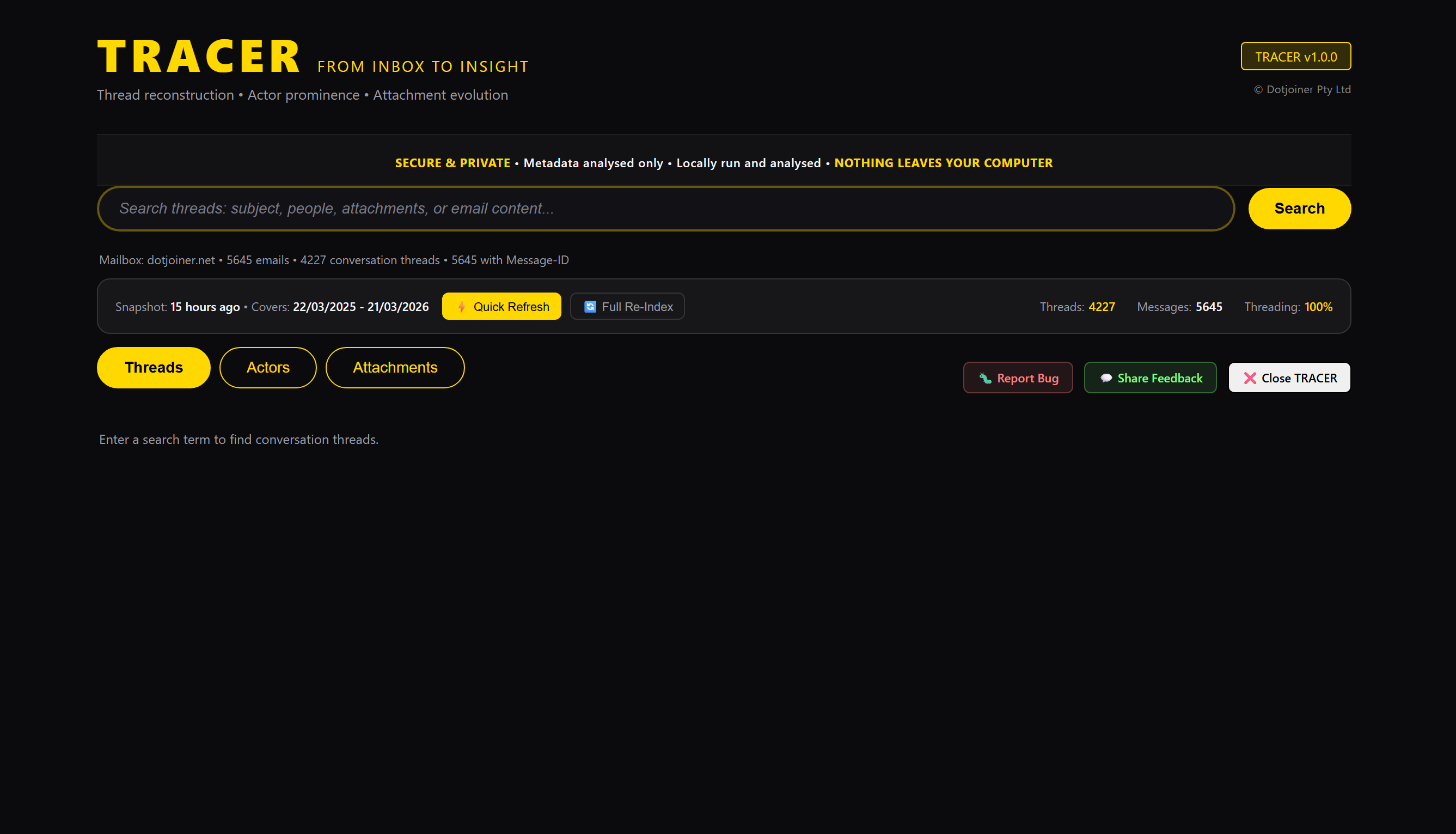
MailBraid main search interface
Search — threads, people, attachments, content
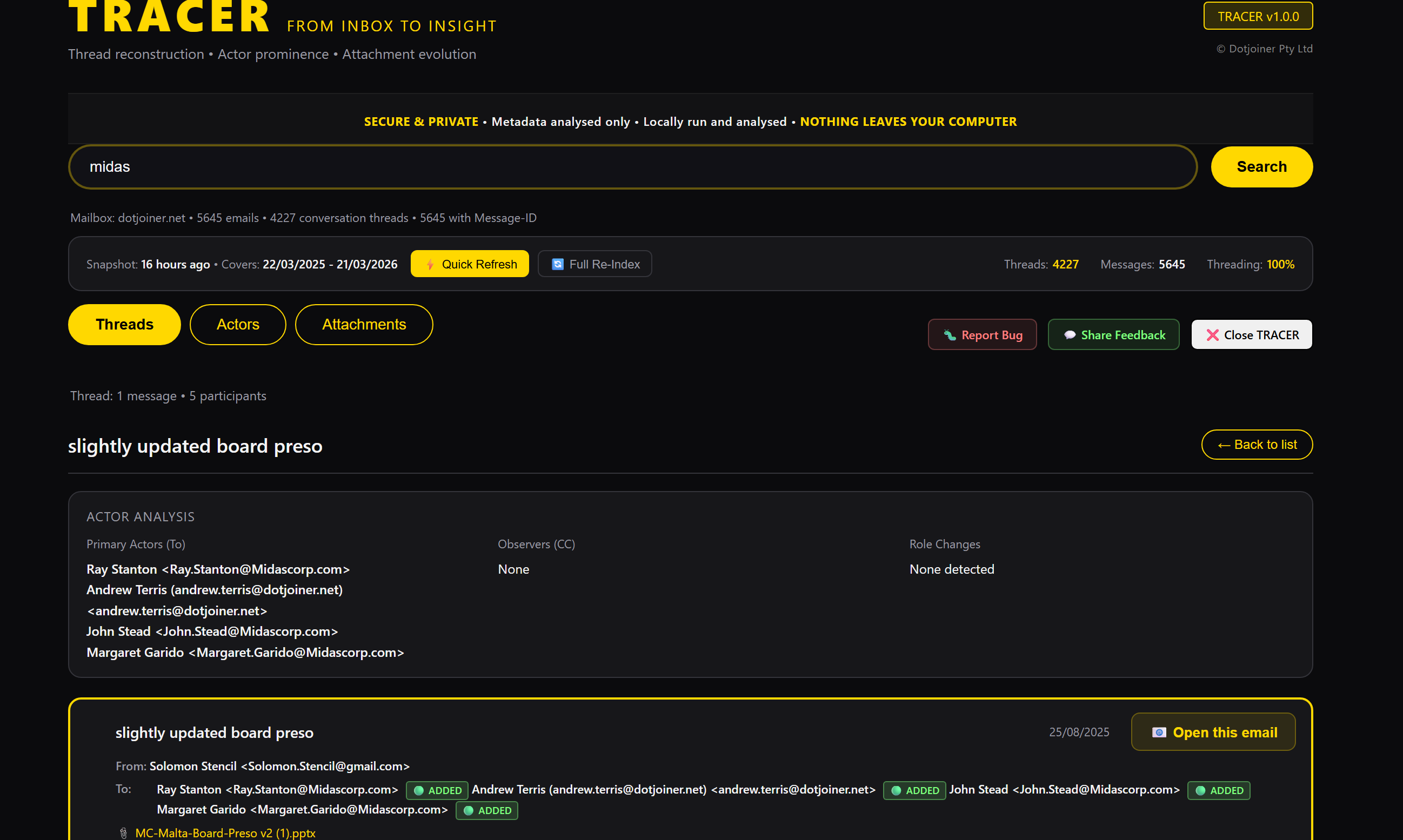
MailBraid thread reconstruction
Threads — full conversation history with participant breakdown
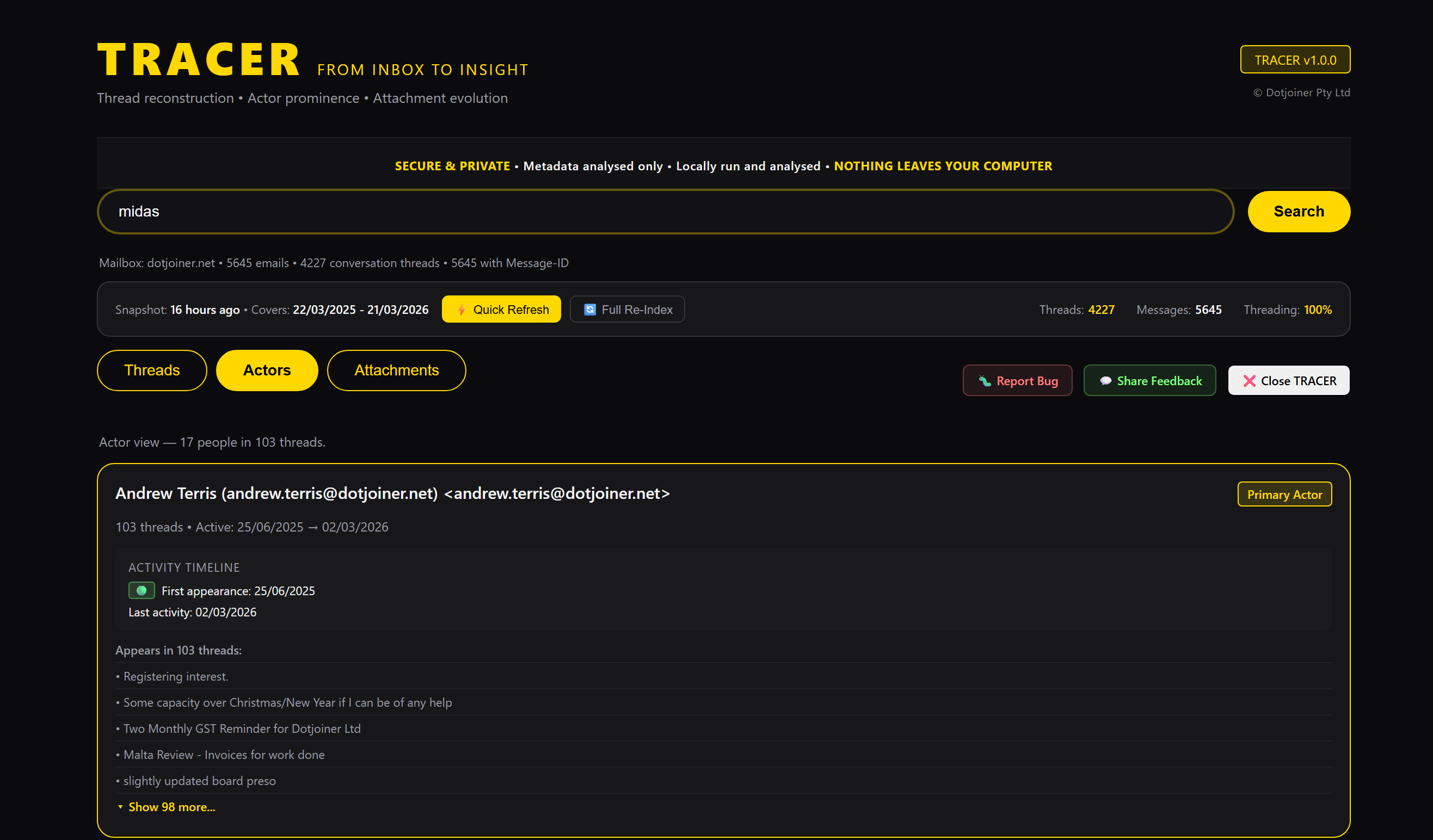
MailBraid actors view
Actors — who drove decisions, who was involved
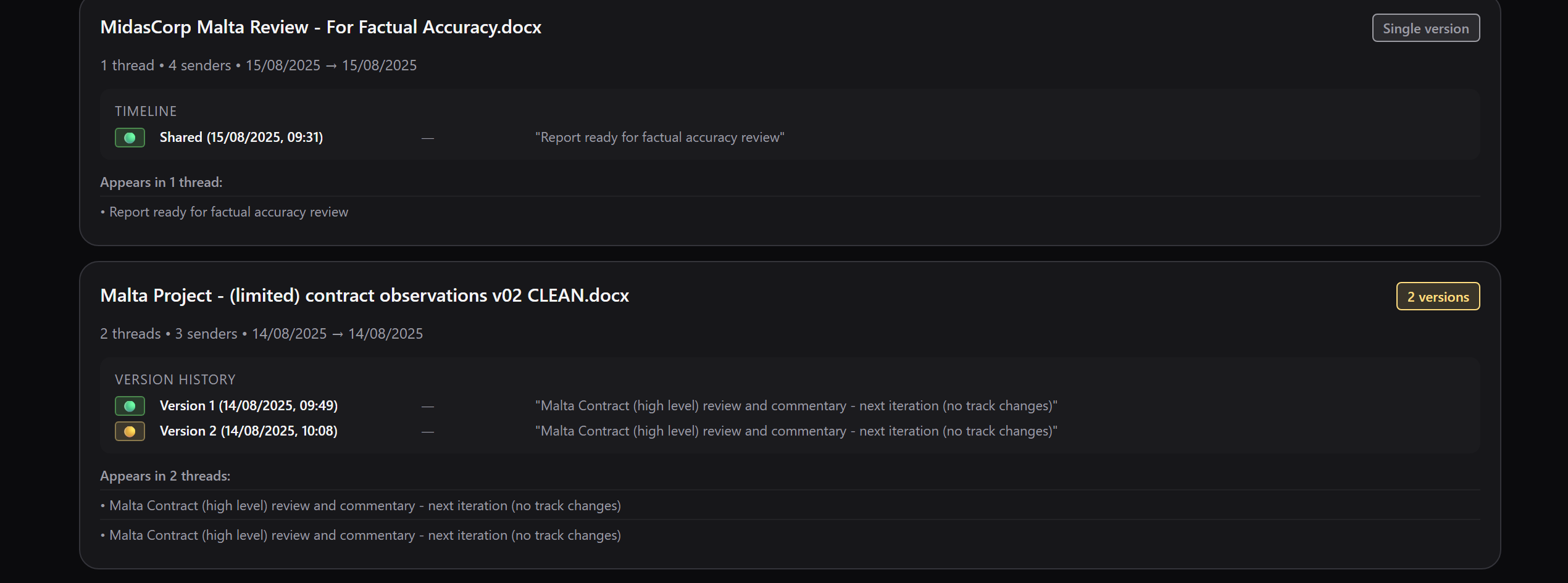
MailBraid attachment version tracking
Attachments — every document version, every hand it passed through
Getting started

INSTALL.
INDEX. SEARCH.

01
Install on Windows
Download and run the installer. MailBraid connects directly to your local Outlook data file. Setup takes under 15 minutes. Requires Windows 10 or 11 with Microsoft Outlook.
02
Index your mailbox
MailBraid scans your email metadata and builds a local index. Depending on mailbox size this takes between a few minutes up to 10–15 minutes for the first index. Incremental indexing after that is fast. Everything stays on your machine.
03
Search everything
Search by name, company, subject, attachment, or any term. Threads reconstruct instantly. Refresh daily with one click to stay current. Results in under a second.
See it working

WATCH MAILBRAID
IN ACTION.

What people are saying

IT PAYS FOR ITSELF
THE FIRST TIME YOU USE IT.

You won't need to use this every day — but when you need to (and you will!) — it pays for itself the first time you use it.
Early user — professional services
Invaluable in tracing the evolution of a long running issue on my project.
Early user — project management
It’s great — I used it as a handover summary from my project.
Early user — programme management
Privacy

RUNS LOCALLY.
METADATA,
NOT MAILBOXES.
NOTHING LEAVES
YOUR COMPUTER.

MailBraid analyses email structure and metadata — subjects, participants, dates, attachments. No email content is transmitted. No cloud. No online subscription dependency. The index is encrypted at rest on your machine.

100% local processing
All mail analysis runs on your machine. The only internet connection required after installation is an optional version check (user-configurable) and the annual licence renewal.
Index encrypted at rest
The local index file is encrypted — not readable natively. Your data is protected.
Metadata, not mailboxes
MailBraid analyses email structure — not a full copy of your mailbox or its attachments.
Built by practitioners, for practitioners
Record integrity matters. MailBraid’s tamper detection means you can trust what it tells you. Designed by senior contract and programme managers and information systems auditors.
30-day free trial — latest version

DOWNLOAD.
TRY FREE.

30 days. Every feature. No credit card.

Download Free Trial
Free for 30 days · Windows 10/11 · Microsoft Outlook required · No credit card
Questions? sales@mailbraid.com · Privacy policy
Documentation

USER GUIDES.

PDF
Quick Reference Guide
Single-page cheat sheet. All key actions, search tips, tab-by-tab reference, and troubleshooting at a glance.
↓ Download Quick Reference
PDF
Detailed User Guide
Complete guide covering installation, first run, indexing, searching, the three views, and privacy.
↓ Download User Guide
PDF
Reports User Reference — v1.4
Reference guide for MailBraid’s reporting features — Audit Trail, Project Brief, Relationship Intelligence.
↓ Download Reports Reference
PDF
MailBraid vs AI — One Pager
A concise comparison of MailBraid and AI-based email tools. Understand where MailBraid fits and why it matters.
↓ Download One Pager